EMAIL_RE = re.compile(r"[A-Za-z0-9._%+-]+@[A-Za-z0-9.-]+\.[A-Za-z]{2,}")
PHONE_RE = re.compile(r"\(?\+?\d[\d\s()\-.]{6,}\d")
MONEY_RE = re.compile(r"[$€£¥]\s?\d[\d,]*(?:\.\d{2})?")


def find(pattern: re.Pattern, text: str) -> list[str]:
    """Code-side candidate finder: recall-tuned regex, deduped, in document order."""
    seen: set[str] = set()
    out: list[str] = []
    for match in pattern.findall(text):
        span = match.strip()
        if span and span not in seen:
            seen.add(span)
            out.append(span)
    return out


@json_cache
def pick(document: str, candidates: list[str], question: str) -> dict:
    """CosVec selects which found span plays the role. Returns {choice, confidence}.

    The options ARE the candidate spans, so ``choice`` is a verbatim copy of one of them (or the
    ``none`` hatch) - the model chooses, code owns the string."""
    criteria = {c: None for c in candidates} | {
        NONE: "None of these is the requested value."
    }
    answer = ts.system_one(
        state=document,
        questions={"pick": Choice(instructions=question, criteria=criteria)},
        model=TYPESAFE_MODEL,
    ).answers["pick"]
    return {"choice": answer.choice, "confidence": answer.confidence}


@json_cache
def classify(document: str, question: str, options: list[str]) -> dict:
    """A small Choice over a fixed label set (currency, country, ...). Returns {choice, confidence}."""
    answer = ts.system_one(
        state=document,
        questions={
            "q": Choice(instructions=question, criteria={o: None for o in options})
        },
        model=TYPESAFE_MODEL,
    ).answers["q"]
    return {"choice": answer.choice, "confidence": answer.confidence}


@json_cache
def is_true(document: str, question: str) -> float:
    """A yes/no Noul. Returns P(yes)."""
    return (
        ts.system_one(
            state=document,
            questions={"q": Noul(instructions=question)},
            model=TYPESAFE_MODEL,
        )
        .answers["q"]
        .noul
    )


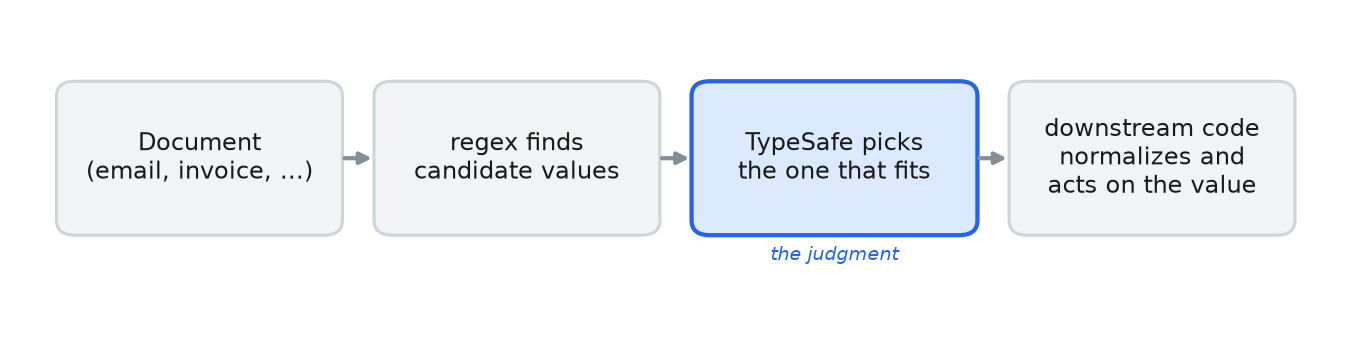 The regex finds candidate values in the document, CosVec picks one, and downstream
code normalizes it and acts on it.
The regex finds candidate values in the document, CosVec picks one, and downstream
code normalizes it and acts on it.